Showing posts with label Frequently Asked Questions about Improving Cellphone Coverage. Show all posts

Saturday, September 1, 2012

9 Steps to Improve Cell Phone Reception


Keep in mind, poor reception is not something that your service provider will fix just because you want them to. Most users think there is nothing they can do to improve their cell phone reception by themselves.

While there is no free magical fix to poor cell phone reception, there are some things that you can do, and some money you can spend, to improve cell phone reception.

Instructions
  1. Keep your battery charged to 2 bars or higher.
    Your cell phone uses a lot more power when connecting a call than when it is on standby.
  2. Take a look at the terrain you are in.
    Cell phone reception is usually poor when you're in a valley, surrounded by trees, in between tall buildings or inside buildings. A simple way to get better reception is to physically move to a better location. Get on a flat space on a hill if you are outside of a city. If you are in a city, go outside and away from tall buildings. One of the best places to get cell phone reception is a street intersection because it offers an unobstructed reception area.
  3. Utilize a personal cell phone network extender.
    These devices are a new technology that creates a hybrid amplifier/repeater for personal use through smart technology to extend your cell phone's reception.
  4. Install a cellular repeater.
    If you are having cell problems in one location, such as your home or office, then try installing a cellular repeater.
  5. Turn off other electronics around you.
    Many electronics, such as computer monitors, appliances and power tools, can cause interference to cell phone reception. Simply turning these off may help your reception enough to make intelligible calls.
  6. Hold your phone correctly.
    Mobile phone antennas are designed to project a signal outward, perpendicular to the long axis of the antenna. As such, mobile phones seek signals in a donut-esque shape around the antenna. Normally, when a mobile is held upright, this is not a problem. However, if you are holding your phone in a strange way, such as on its side or upside down, you will hinder the operation of the antenna. Hold your phone upright to guarantee that your phone can "see" your carrier signal. On most newer phones the antenna is located at the bottom of the phone, so if you are experiancing signal problems on a newer phone turning it upside down will boost your signal.
  7. Buy an external antenna or power booster.
    This is going to cost you a bit, potentially more than a hundred dollars for an external antenna or a few hundred dollars for a power booster, but it will help reception. This is a good way to improve reception in your car or in your home or office, but it is not portable and you have to physically plug your phone into it.
  8. Purchase a wireless amplifier/repeater system.
    A repeater system can cost several hundred dollars but it does not require a physical connection and can improve reception on several phones at the same time. You can get a repeater system for your car, and they are especially useful in an office where several people may be using cell phones.
  9. Change networks.
    If all else fails, switch your service provider.
Note: Don't buy cheap internal antennas. These may look like a small card that goes behind your battery and has a small wire in them. It is said that they can double your reception, but many do not make any notable difference.

Friday, August 31, 2012

Use Cell Phone to Make Calls Over the Internet


There are several VoIP services that allow you to make calls on your mobile phone over the Internet using a Wi-FI connection (and even 3G with some VoIP and cell providers).

An acronym for Voice over Internet Protocol, VoIP is the technology for transmitting voice communications over your Internet connection. It requires a broadband Internet connection (DSL, cable, or 4G wireless) and can be accessed using your computer, on some cell phones (depending on compatibility), and even via some landline-style cordless phones that can connect via both VoIP and your standard telephone jack.

Using a VoIP service on your mobile phone over Wi-Fi can help you save on using your cellular plan's minutes. It's also a good way to make calls from your mobile phone when your cell signal is weak.

Additionally, if you are calling a contact who is using the same VoIP service application, the call is typically free (calling to an actual phone number may incur charges from that service).

The Skype service is available for the iPhone (as well as the iPod touch and iPad) and many smartphones on the Verizon Wireless network (including BlackBerry and Android OS models). A call made from the Skype app on your mobile phone to someone else using Skype software (either on another mobile phone or on a computer) is free. Skype also offers low-cost calling to mobile phone and landline numbers (including international numbers), which requires pre-paying for minutes using Skype Credit or purchasing a monthly Skype calling plan.

The free Google Voice service is available as a standalone app on Android OS. Additionally, a Web-based version can be accessed on other smartphones with a Web browser, including the iPhone, Palm Pre and Pixi, Nokia S60 models, Windows Mobile phones, and more. You can make free phone calls to domestic mobile phones and landlines over the Internet, as well as low-cost international calls using pre-paid calling credit. The service also provides you a phone number that can be connected to other numbers--mobile or landline--so that you never miss a call.

Thursday, August 30, 2012

What is a Direct-Wire Antenna?

Shop direct-wire antennas
Similar to a cell repeater, a direct-wire antenna method of boosting cellular signal includes an antenna that mounts on the outside of your building, or even your car. But where a cell repeater's amplifier provides a stronger signal for all phones in its range, the direct-wire antenna attaches directly to just a single mobile phone.

If you're interested in boosting the signal for a single cell phone, a direct-wire antenna could be the option for you. The direct-wire antenna method of boosting cellular signal includes an antenna that mounts on the outside of your building, or even your car.

Video: How to use direct wire antennas to improve your cell phone's signal.

What is a Cell Repeater?


Shop Cell Phone Repeaters
If your home or office is in a cellular dead zone or you make most of your calls from inside a building where cellular reception is low, a cell repeater can help you boost reception.

A cellular repeater, cell phone repeater, or wireless cellular signal booster, a type of bi-directional amplifier (BDA) as commonly named in the wireless telecommunications industry, is a device used for boosting the cell phone reception to the local area by the usage of a reception antenna, a signal amplifier and an internal rebroadcast antenna.

Made up of a few more parts than a femtocell, a cell repeater includes an antenna, an amplifier, and a coaxial cable that connects them. The antenna is placed either outside your building or on a window (via suction cups), and then you can string the coaxial cable to the most convenient spot to place the amplifier. Some cell repeaters include an additional indoor antenna, but many of them integrate that into the amplifier.

The antenna grabs a range of supported frequencies and then retransmits them with a stronger signal from the amplifier. When you make a call or use data when within the cell repeater's range, the indoor antenna picks up the signal from your mobile phone and transmits it through the outdoor antenna.

One advantage of cellular repeaters is an increase in the cell phone's battery life due to the lower power required to broadcast the signal to the local bi-directional amplifier, due to its proximity to the phone.

Kind of Internet connection is required..!


A femtocell doesn't just improve your phone's voice signal--it also boosts data connectivity. Thus, you can browse the Web, play online games, stream video, and more using a femtocell's connection to your cell provider.

Whether you're interested in online gaming, sharing files, printing wirelessly, or streaming music and video, we'll show you the essential components you'll need to make it happen.

A femtocell needs a broadband connection (such as DSL, cable, or 4G wireless) with a router connected to the broadband modem. The femtocell will plug into your router via an Ethernet cable.

Learn what components you need for a basic home network and explore the connected home.


Step: 1
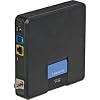
Shop Modems on Amazon.com
You will first need to make you have a high-speed Internet connection in your house. Many cable and DSL providers offer a modem with broadband service, however you can also purchase from Amazon.com.


Step: 2
Step:2
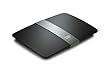
Next you need a router, which is truly the heart of your network, in order to connect your devices. You have the option of a wired or wireless router. Many customers opt for a wireless router to avoid all of the wires required to connect devices via Ethernet cables, which can be a challenge if you have devices in different rooms. Powerline networking kits are also a viable option for customers who already own a wired router.

Step: 3
Step:3
Now it's time to connect your devices to your network. Your wireless router's setup software will help you get your primary computer wirelessly connected. After that, you will be able to add your wireless printers, gaming consoles, Internet-Ready TVs and devices, and more. Explore the connected living room and connected office.

How to Improve Cell Phone Coverage in My Home?

In this blog we'll show you how easy it is to get more bars of cell phone reception in your home. We explore three primary ways to get more bars: femtocells, cell phone repeaters, and direct-wire antennas.

Learn more about each of options below to enjoy better cell phone reception throughout your home.


If you're interested in boosting the signal for a single cell phone, a direct-wire antenna could be the option for you. The direct-wire antenna method of boosting cellular signal includes an antenna that mounts on the outside of your building, or even your car.


If your home or office is in a cellular dead zone or you make most of your calls from inside a building where cellular reception is low, a cell repeater can help you boost reception. A cellular repeater includes an antenna, an amplifier, and a coaxial cable that connects them. The antenna is placed either outside your building or on a window (via suction cups), and then you can string the coaxial cable to the most convenient spot to place the amplifier.


A femtocell acts like a miniaturized cell tower in your home, creating an access point for both voice and data that provides better reception than what you might be getting from the nearby cell tower. In addition to the femtocell device (available from cell providers--check their website for more information), you need an Internet connection and a home LAN (wired or wireless network).

We'll be adding to and updating this list as new information comes available so check back in every once in awhile to see what's new.


The Benefits of Femtocells


I want to tell you why you might end up accepting the additional wireless charges in exchange for better cellular service at home. Due to the substantial benefits, femtocell technology is causing quite a “buzz” in the industry.

Here are the benefits of femtocell technology:

Femtocell Benefits to End Users
  • Reduced "in home" call charges
  • Improved indoor coverage
  • Continued use of current handset
  • Reduced battery drain
  • One consolidated bill
  • Multiple users/lines
  • Landline support
Femtocell Benefits to Mobile Operators
  • Improves coverage
  • Reduces backhaul traffic
  • Provides capacity enhancements
  • Reduces churn
  • Enables triple play
  • Addresses the VoIP threat
  • Stimulates 3G usage
  • Captures termination fees
  • Allows for multiple users/lines
  • Addresses the fixed mobile convergence market with a highly attractive and efficient solution

What is a Femtocell?


A femtocell is a small cellular base station designed for use in residential or small business environments. It connects to the service provider’s network via broadband (such as DSL or cable) and typically supports 2 to 5 mobile phones in a residential setting. A femtocell allows service providers to extend service coverage inside of your home - especially where access would otherwise be limited or unavailable - without the need for expensive cellular towers. It also decreases backhaul costs since it routes your mobile phone traffic through the IP network.

A femtocell is sometimes referred to as "access point base station", "3G access point", "small cellular base station" and “personal 2G-3G base station".

A femtocell acts like a miniaturized cell tower in your home, creating an access point for both voice and data that provides better reception than what you might be getting from the nearby cell tower. In addition to the femtocell device (available from cell providers), you need an Internet connection and a home LAN (wired or wireless network).

After plugging the device into your network, your cell phone uses the femtocell's radio frequency to connect to your cellular network. When you leave the house, your phone will automatically switch over to communicating over the normal cell towers.

View this short video to quickly get up to speed on this exciting new technology.

Post Popular

Powered by Blogger.